Edit Photos by Simply Describing the Change
QwenEdit is a free online photo editor powered by the open Qwen Image Edit model. Upload a picture, type what to change — swap the background, remove objects, restyle, retouch — and get the finished image in seconds.

One clear sentence works best — say what to change and what to keep.
What is Qwen Image Edit?
Qwen Image Edit is an instruction-based photo editing model from the Qwen family of open models. Unlike classic filters that apply the same effect to every picture, it reads a sentence like “put her on a snowy mountain” and re-renders your actual photo around that instruction — keeping faces, poses and lighting consistent while changing exactly what you asked for.
Because the model is open, a new version lands every few months, and each generation has gotten better at the things people actually want: clean background swaps, believable object removal, faithful text fixes and gentle portrait retouching. This site runs the latest hosted release in the cloud, so you get state-of-the-art edits without a GPU, an account or a software install.
How to edit a photo online
Upload your photo
Drag it in or click to choose. Large photos are scaled down in your browser first, which keeps the edit fast and your original file untouched.
Type the change
Pick a category chip for a proven starting sentence, or write your own. Plain English works — no keywords, no sliders, no layers.
Compare and download
Slide between before and after to check the edit, then download the full-size result. Not happy? Refine the sentence and edit again.

What can you change in a photo?
Six edit families cover almost everything people ask for. Each example below is a real instruction you can paste straight into the editor.
Background
“Place the subject on a clean studio background”
“Move the photo to a sunny beach at golden hour”
Objects
“Remove the photobomber behind us”
“Add a bunch of balloons to the birthday table”
Style
“Turn this photo into a watercolor painting”
“Make it look like a vintage film photograph”
Text & logos
“Fix the typo on the store sign to OPEN”
“Replace the logo on the t-shirt with a small star”
Portrait
“Whiten the teeth naturally and smooth the skin”
“Change the hair color to chestnut brown”
Restore
“Restore this old photo: remove scratches and sharpen faces”
“Colorize this black-and-white photo naturally”
See the difference
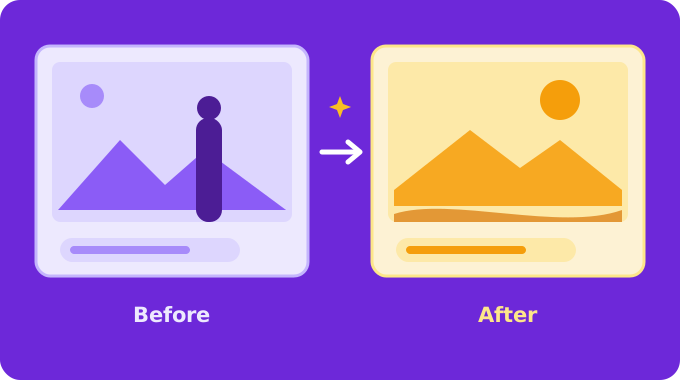
Want more ready-to-use sentences? Browse 36 proven prompt ideas or read the step-by-step guide to learn how to write instructions that land on the first try.
Frequently asked questions
Is QwenEdit free to use?
Yes. Every visitor gets a handful of free edits each day — no account, no card. The counter resets daily, and you can come back tomorrow for more.
Do I need to install anything?
No. The editor runs entirely in your browser and in our cloud service. Upload a photo, type the change, download the result — that is the whole workflow.
What happens to my photos?
Your photo is scaled down in your browser, sent over an encrypted connection for the single edit you requested, and never stored. When you close the page, it is gone.
What kinds of edits work best?
Clear, specific instructions: “replace the background with a beach at golden hour”, “remove the person on the left”, “restore this old photo”. The guide and prompt ideas pages have dozens of proven examples.
Can I use the edited images commercially?
The Qwen Image Edit model is released under a permissive open license. You own the photos you upload and the results you generate; for commercial projects, review the model’s current license terms as you would with any tool.